> ## Documentation Index
> Fetch the complete documentation index at: https://docs.asisso.com/llms.txt
> Use this file to discover all available pages before exploring further.
# Workflows & Agents
> How conversation flows are defined in Asisso
In Asisso, what you see as an **agent** in the dashboard is called a **workflow** in the API. They are the same thing — a workflow is the underlying definition, agent is the product name for it.
Anywhere the API says `workflow`, think "agent". Anywhere the API says `workflow_definition`, think "the conversation logic inside your agent".
## The graph model
A workflow is a **directed graph** — a set of nodes connected by edges.
```mermaid theme={null}
graph LR
A[Start Call] -->|Caller greets| B[Qualify Intent]
B -->|Wants support| C[Support Agent]
B -->|Wants sales| D[Sales Agent]
C -->|Issue resolved| E[End Call]
D -->|Demo booked| E
```
**Nodes** are the steps in the conversation. Each node has a prompt that tells the LLM what to say and do at that point.
**Edges** are the transitions between nodes. Each edge has a condition — a natural language description of when to move on. The LLM evaluates whether the condition has been met based on the conversation so far.
## Node types
| Type | What it does |
| ------------ | ------------------------------------------------------------------------------------------------ |
| `startCall` | Entry point for telephony calls. The first thing the agent says when a call connects |
| `agentNode` | An LLM-powered conversation step. The core building block |
| `globalNode` | Defines instructions that apply across all agent nodes (e.g. tone, language, fallback behaviour) |
| `endCall` | Terminates the call |
| `trigger` | Entry point for API-triggered runs (non-telephony) |
| `webhook` | Fires an HTTP request when reached — use for CRM updates, notifications, etc. |
| `qa` | Runs automated quality analysis on the completed call |
## Edges and transitions
An edge connects two nodes and fires when its condition is satisfied:
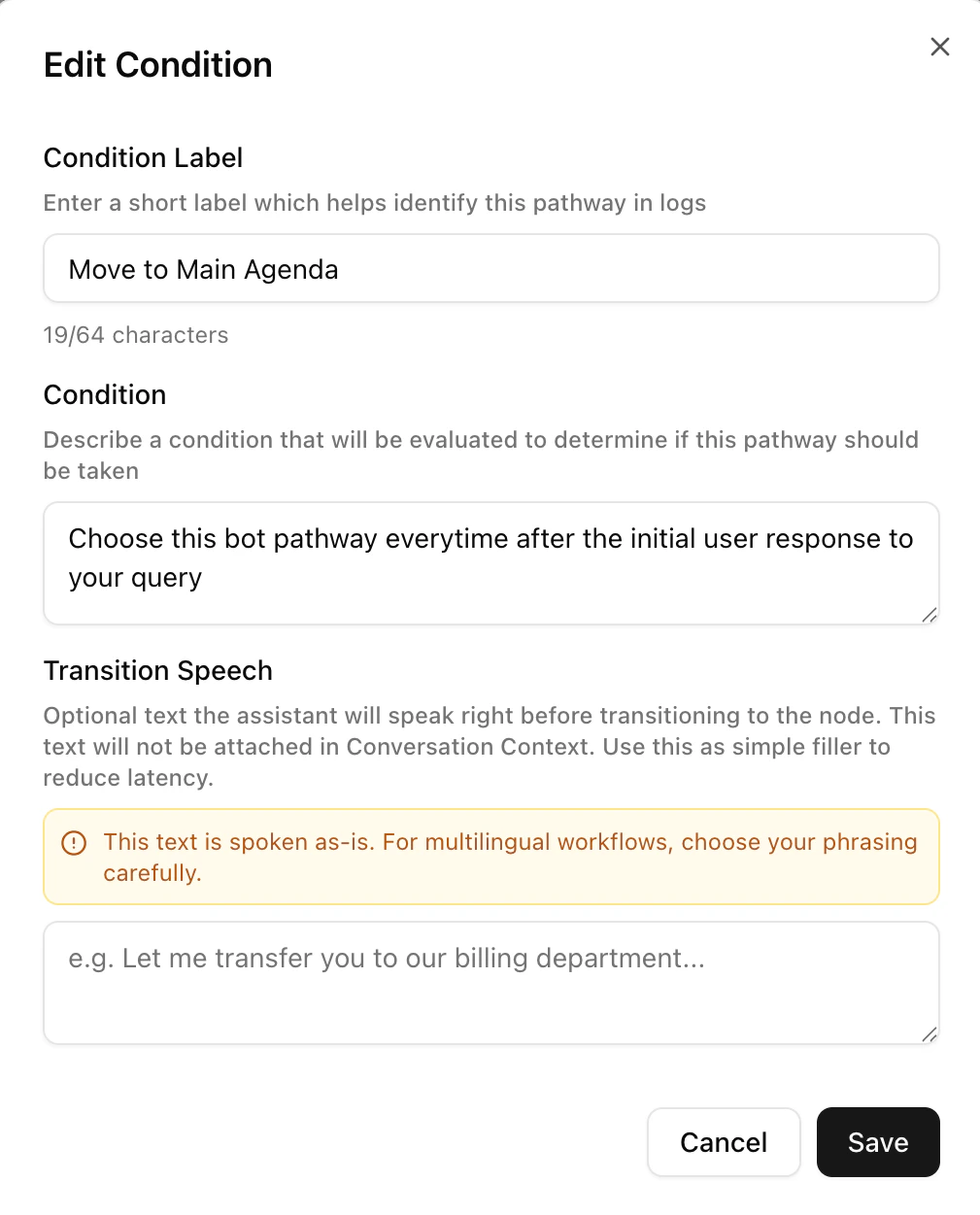 `transition_speech` is optional — if set, the agent speaks it before moving to the next node.
## Versioning
Every time you update a workflow's `workflow_definition`, Asisso saves a new version while keeping the history. The current version is always what runs. Old versions are retained for auditing.
## Creating workflows
There are two ways to create a workflow via the API:
* **From a definition** — provide the full node/edge graph yourself. Best for programmatic generation.
* **From a template** — describe the use case in natural language and Asisso generates the initial graph using an LLM. Best for getting started quickly.
See the [Workflow Definition Schema](/developer/workflow-schema) for the full field reference.
`transition_speech` is optional — if set, the agent speaks it before moving to the next node.
## Versioning
Every time you update a workflow's `workflow_definition`, Asisso saves a new version while keeping the history. The current version is always what runs. Old versions are retained for auditing.
## Creating workflows
There are two ways to create a workflow via the API:
* **From a definition** — provide the full node/edge graph yourself. Best for programmatic generation.
* **From a template** — describe the use case in natural language and Asisso generates the initial graph using an LLM. Best for getting started quickly.
See the [Workflow Definition Schema](/developer/workflow-schema) for the full field reference.